How it works
Every screen, end to end.
A walkthrough of the BatesFlow application — from creating a case to serving a deficiency notice. Real screenshots from a fictional Smith v. Smith matter.
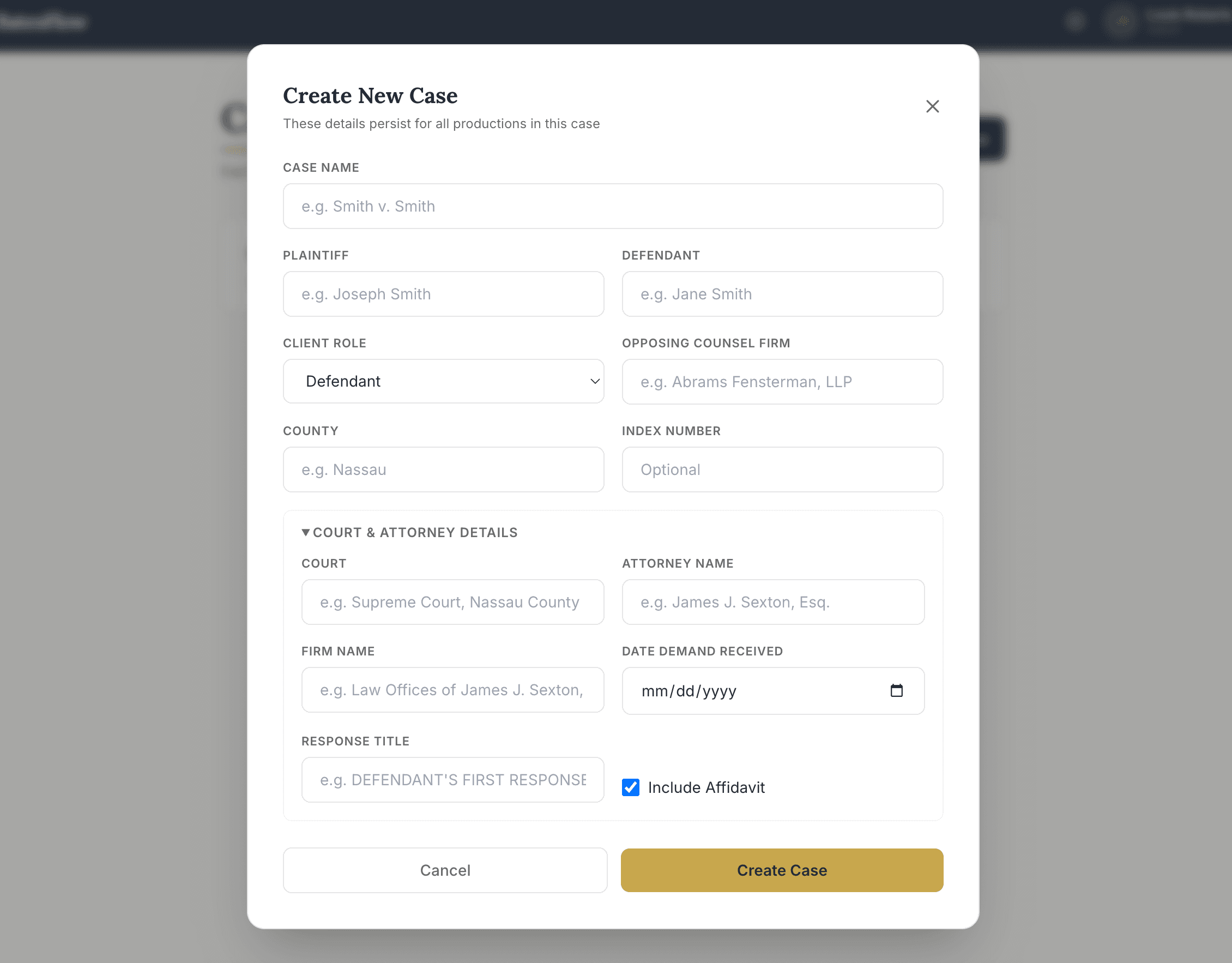
Create the case
All productions inside a matter share the same caption, parties, court, and attorney details. Enter them once and every Rider, Bates Index, and Inventory picks them up automatically.
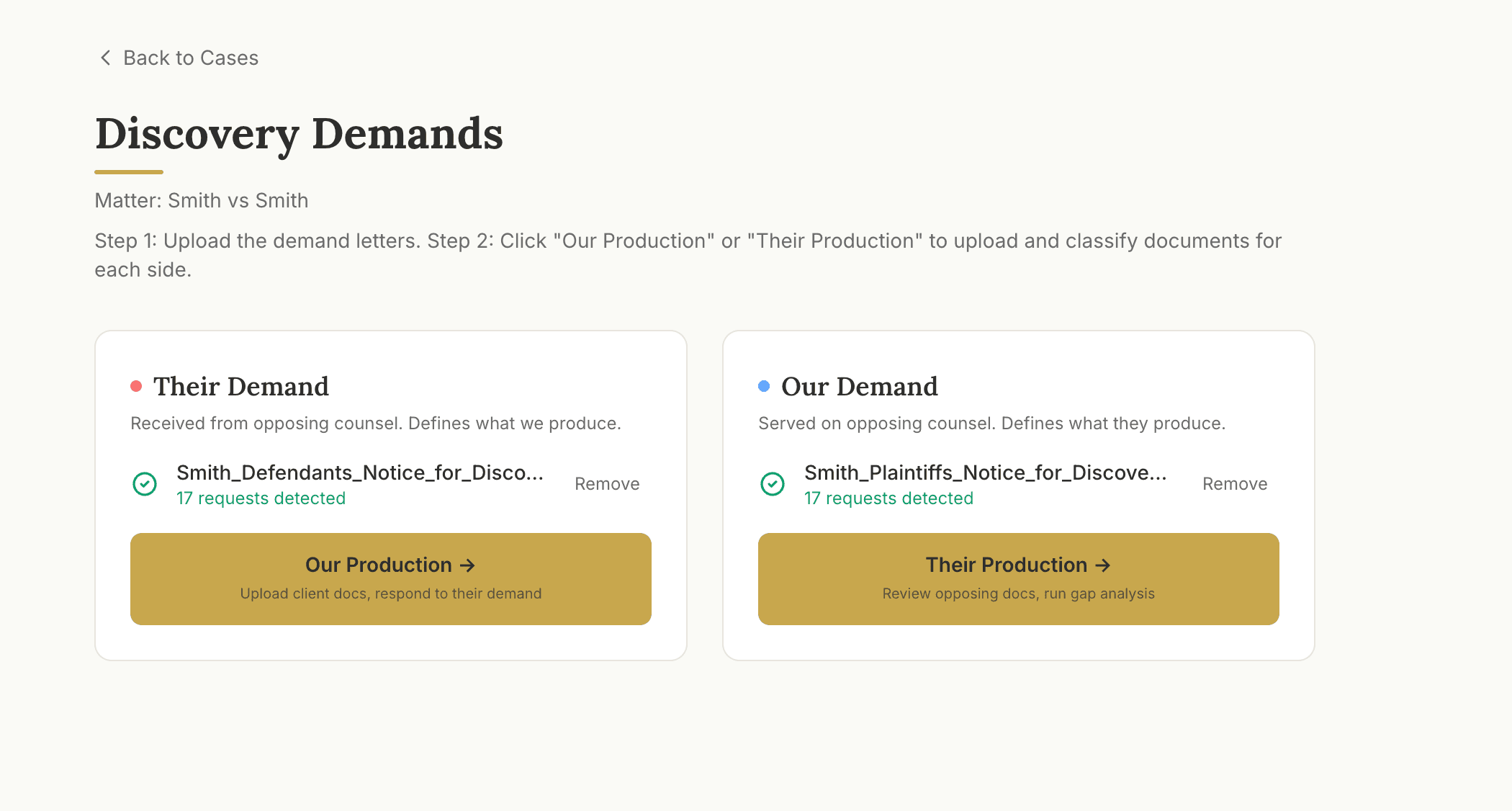
Upload both demands
Two drop zones by design: the demand opposing served on you, and the one you served on them. BatesFlow parses PDF or DOCX — even scanned — and extracts every numbered request automatically.
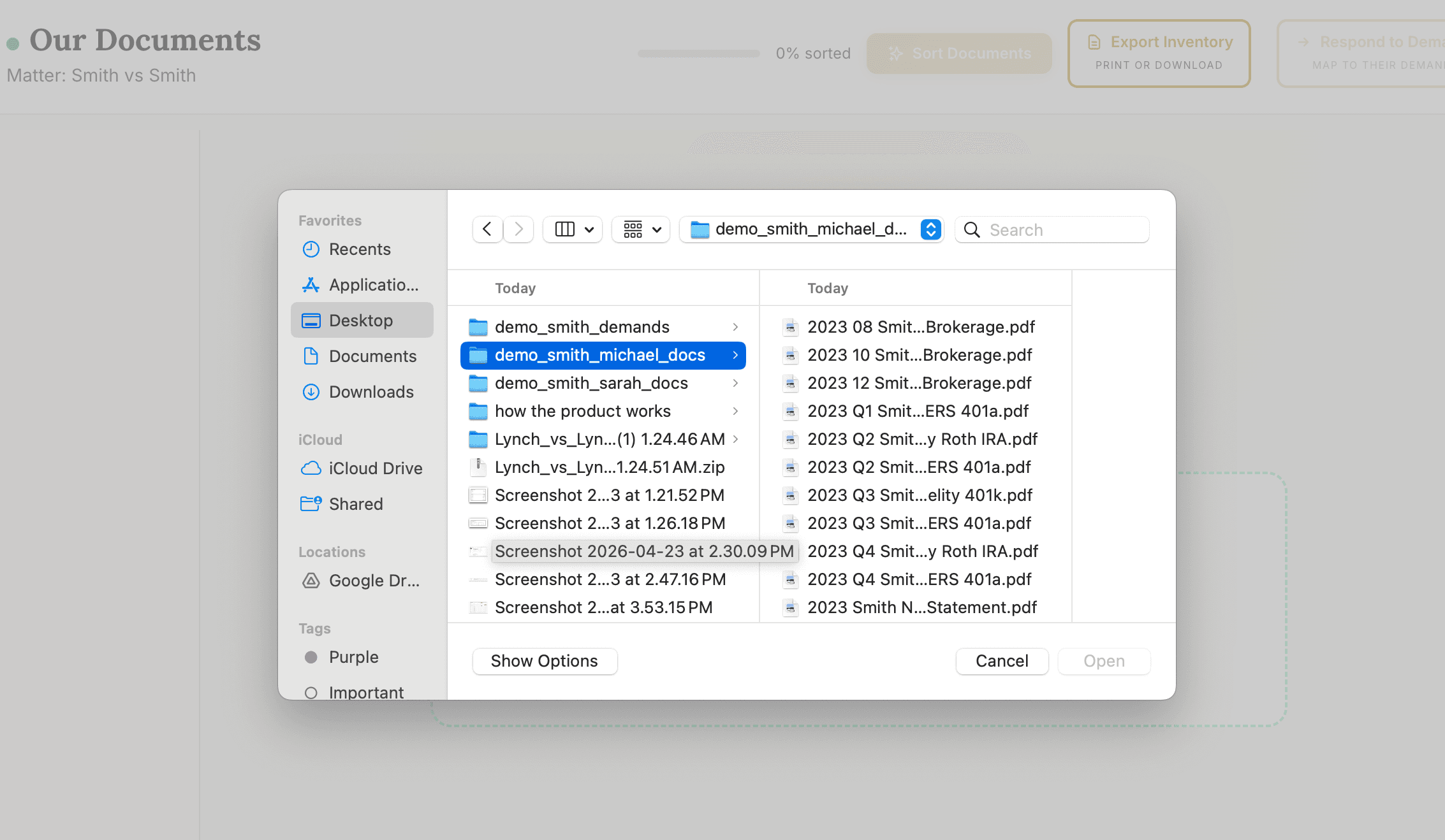
Upload client documents
Drag a folder, drop a ZIP, or use the file picker. PDFs, Word, Excel, images, emails — anything you can render. Duplicates are caught client-side before they ever hit the server.
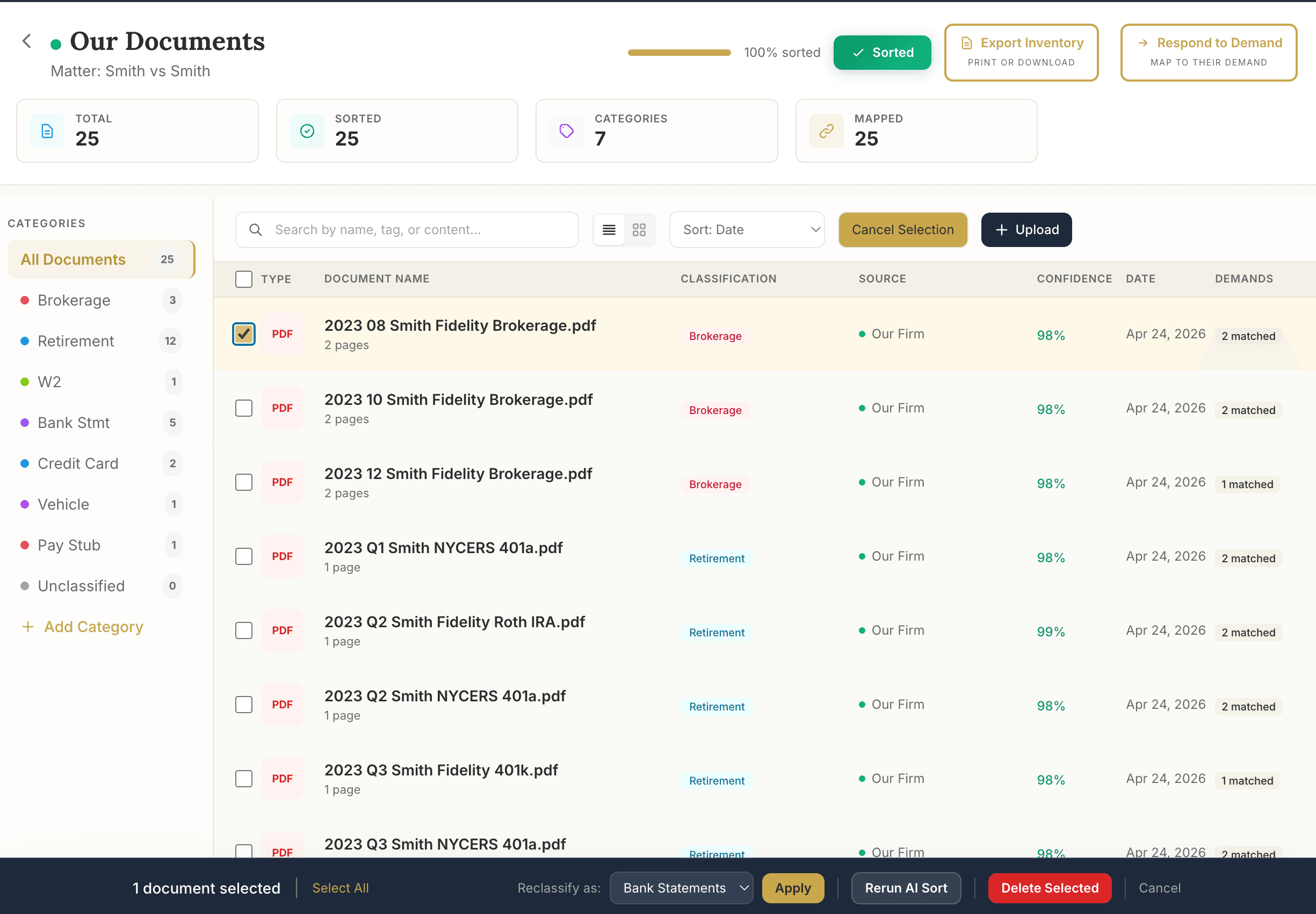
AI sorts and classifies
Twenty matrimonial-specific categories — bank statements, brokerage, W-2, retirement, pay stubs, vehicle, more. Confidence scores on every document. And the AI tags which numbered request each document responds to, so eighty percent of mapping is done before you review.
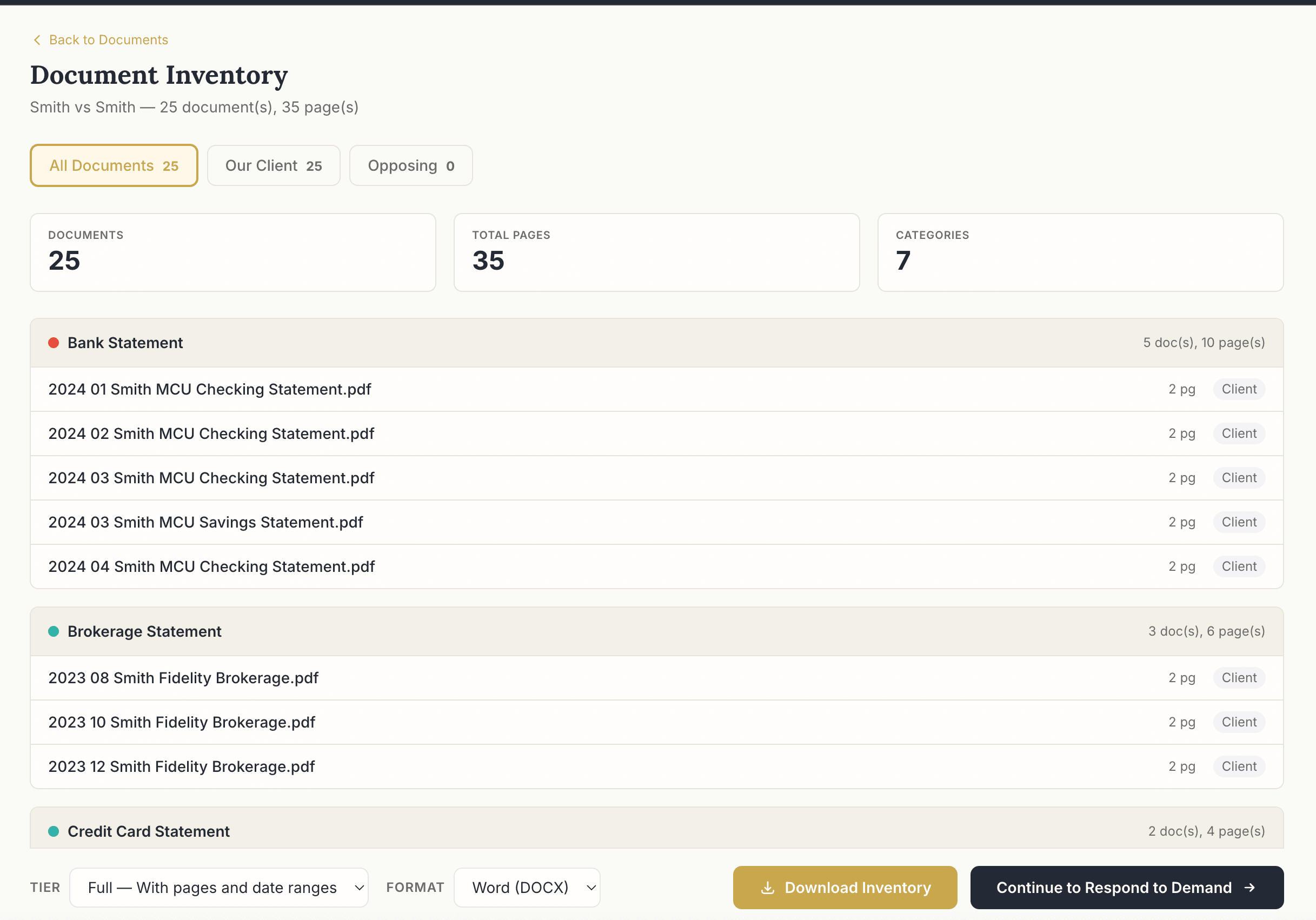
Inventory before production
A pre-production checkpoint. Export a Short list or Full table of everything about to be served, grouped by category with pages and date ranges. DOCX or XLSX. Filter by Our Client or Opposing.
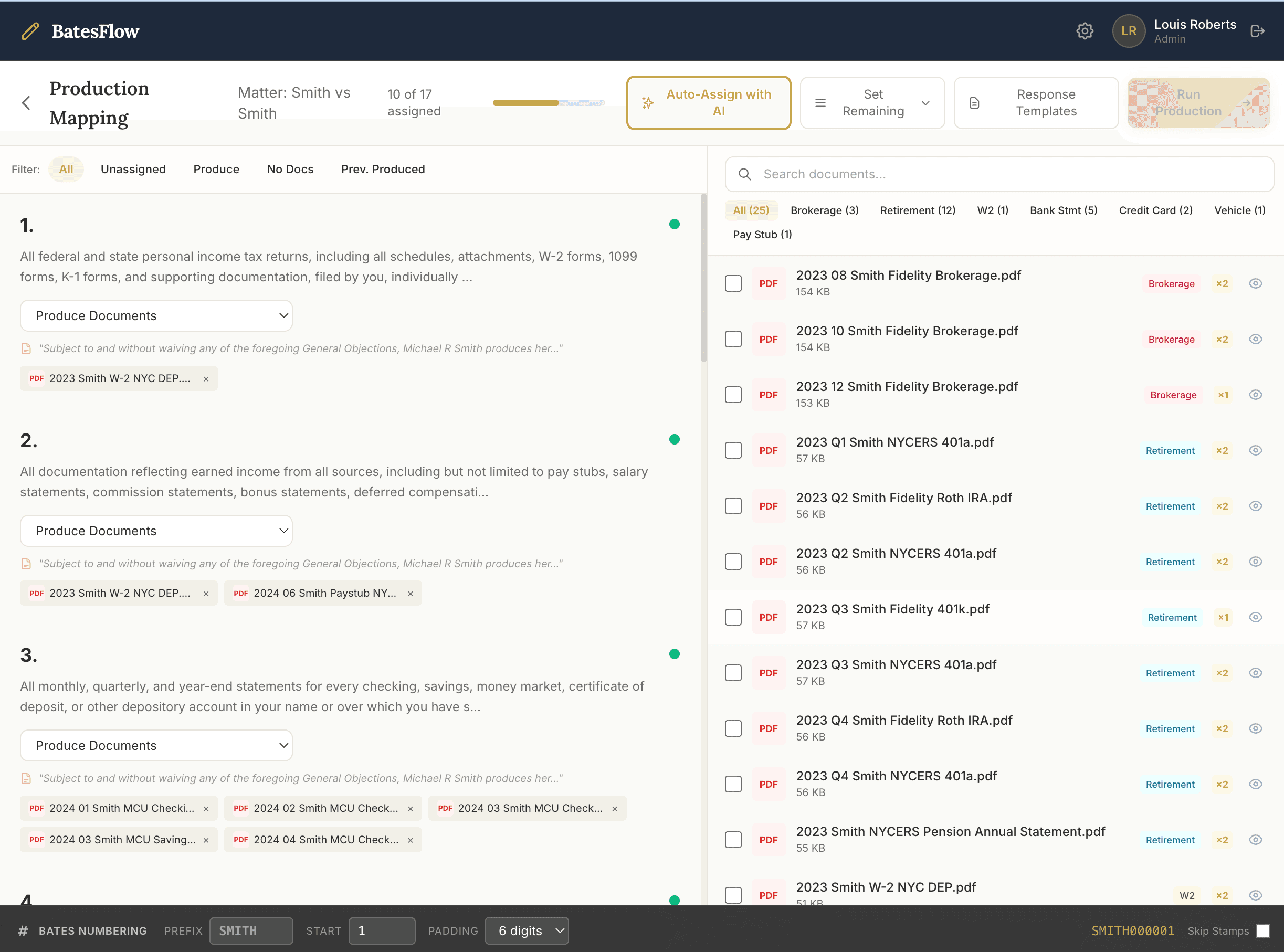
Production mapping
Every numbered request down the left, every classified document down the right. Pick a response type from the vocabulary New York matrimonial practice already uses — Produce, No Docs, In Opposing Possession, Previously Produced, and more.
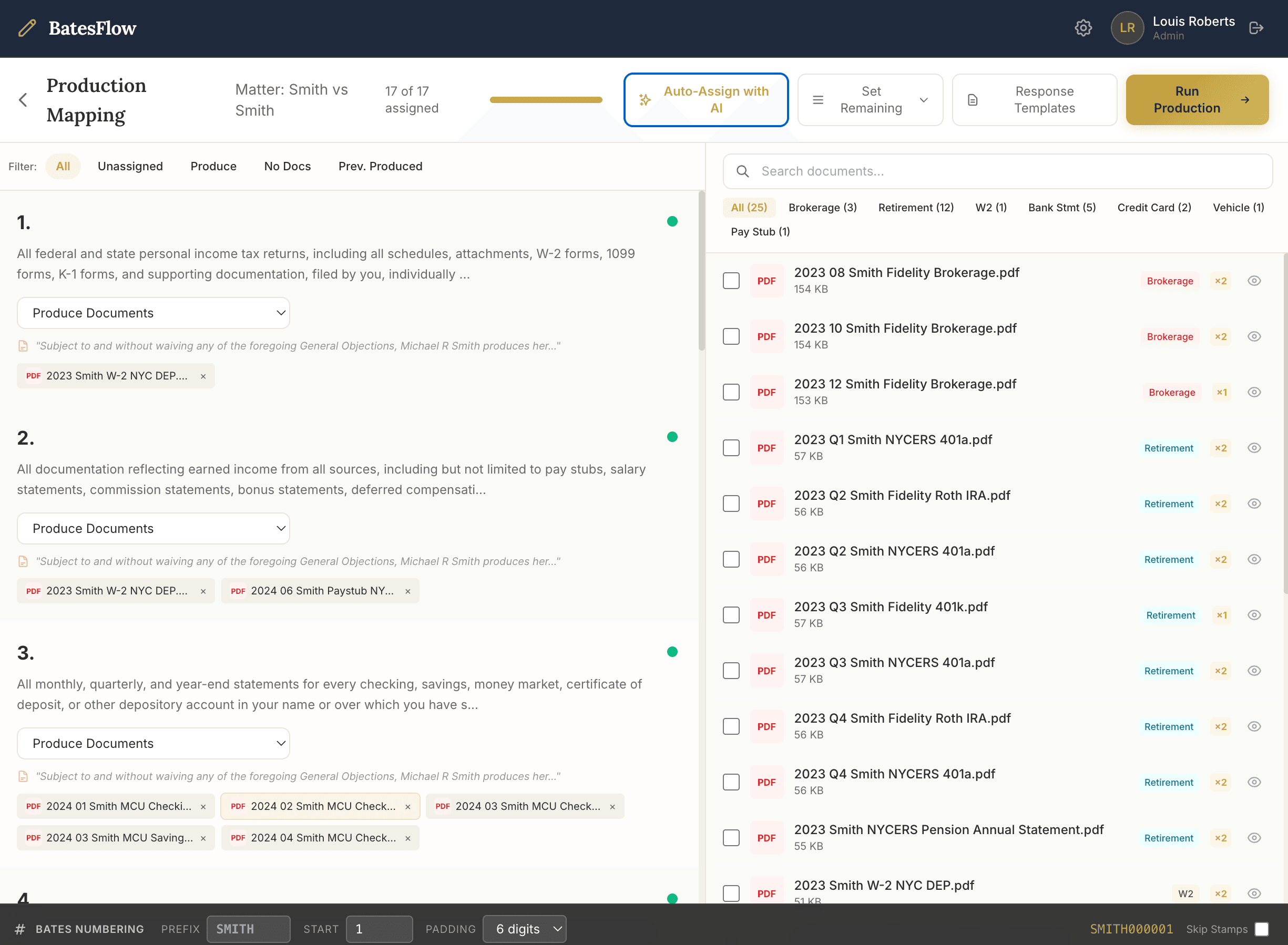
Auto-Assign with AI
One click reads the actual language of every request and matches it against document content — not filenames. Counter goes from 10-of-17 to 17-of-17 assigned. You review and override; you don’t assemble from scratch.
Run production
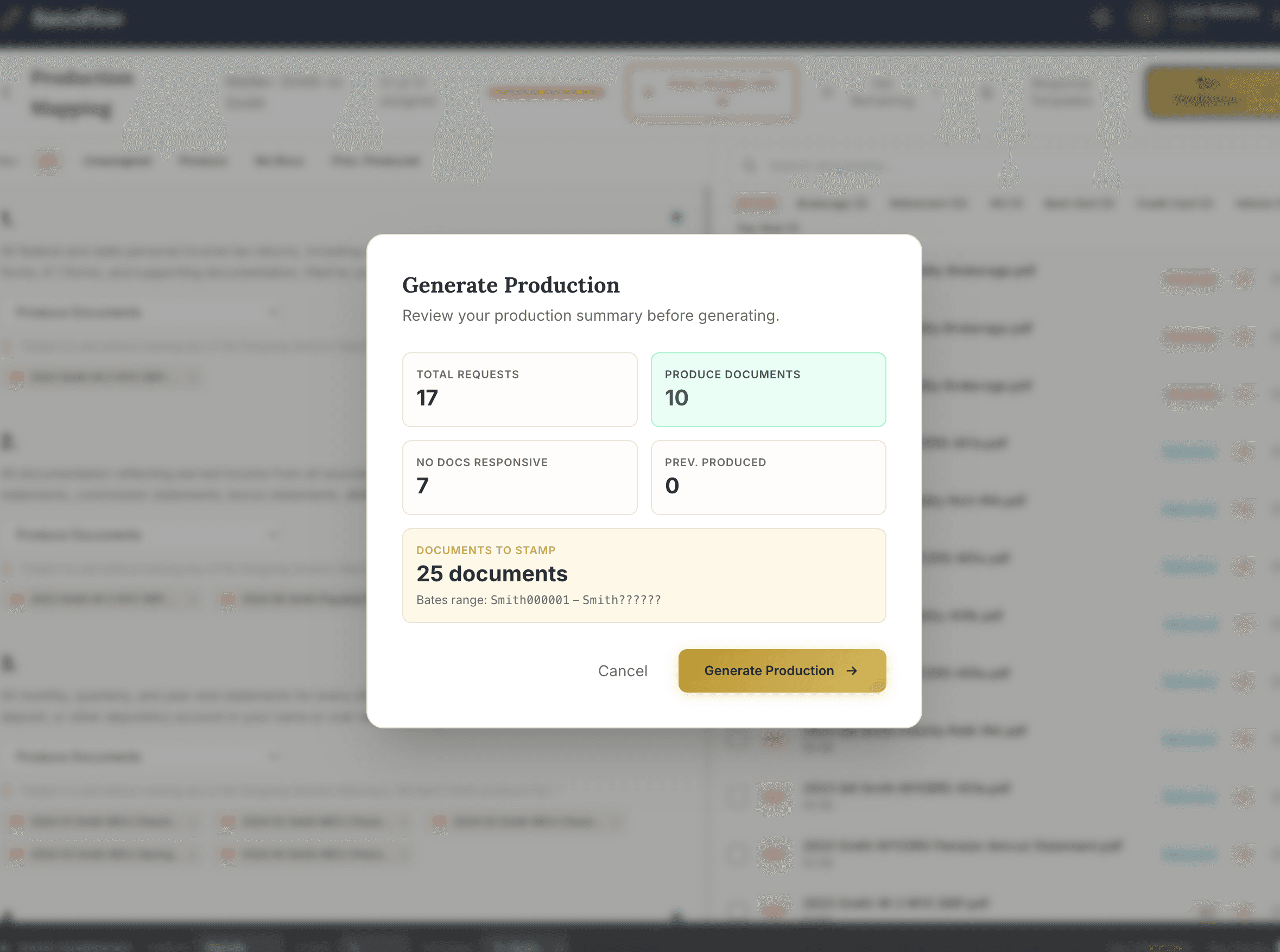
A pre-flight modal confirms request counts, document counts, and the Bates range. One more click generates Bates-stamped PDFs, a court-ready Rider DOCX, and a Bates Index XLSX — packaged in a single zip.
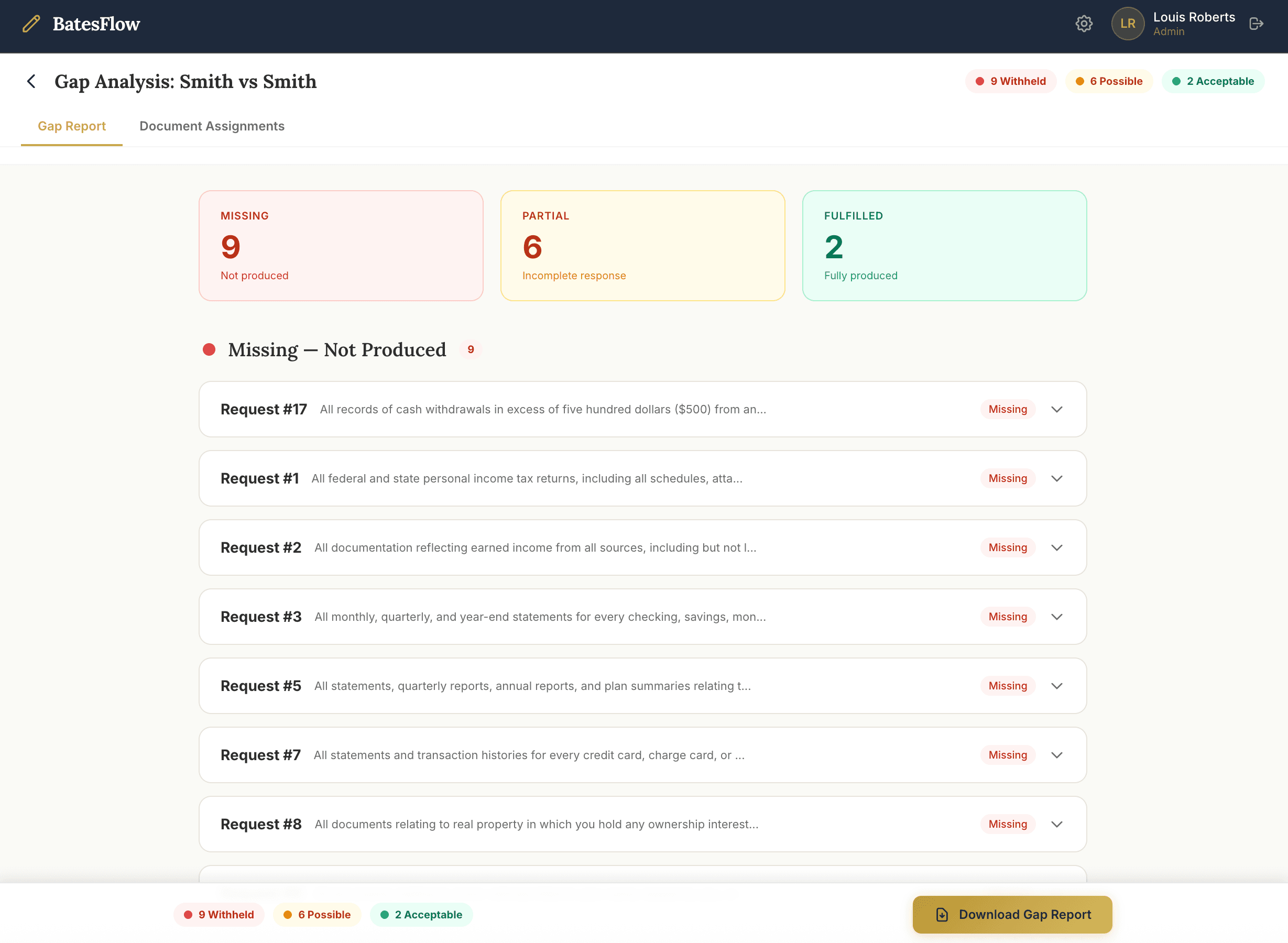
Gap analysis on what comes back
When opposing’s production lands, run it against your demand. BatesFlow tags every request Fulfilled, Partial, or Missing and hands you a deficiency notice DOCX ready to serve — with the reasoning on every row.